Cancel Systeme.io - How to Cancel, Downgrade or Close Your Account (2026)
Cancel Systeme.io: The Short Answer
To cancel a paid systeme.io plan, click your profile picture, open Settings, then Manage My Subscriptions. Find the subscription, click the three dots, choose Cancel Subscription and confirm. You keep your paid plan until the next billing date, and then your account returns to the free plan rather than being deleted.
That last point matters. Cancelling isn't the same as closing your account. Your account, funnels and contacts stay, but anything above the free plan's limits may stop working. If you want to switch to a cheaper paid plan instead, or delete the account entirely, the steps are different, and we cover both below.
Before You Cancel: A Quick Checklist
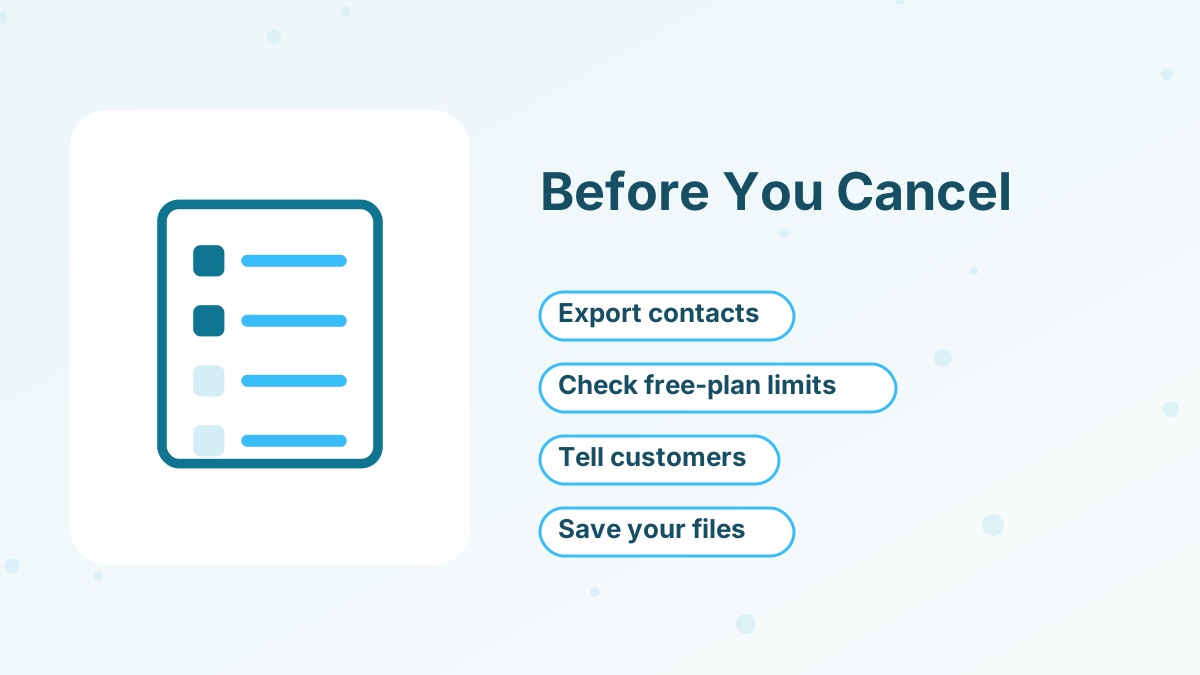
Take ten minutes to prepare, so nothing breaks unexpectedly:
- Export your contacts with their tags, so you have a copy of your list.
- Check what exceeds the free plan. The free plan allows 2,000 contacts, 3 funnels, 1 course, 1 blog, 1 automation rule and 1 email campaign.
- Review active subscriptions you sell. If your customers pay you through systeme.io, plan how their access and billing will continue.
- Save your content. Download course videos, files and email copy you want to keep.
- Note your integrations. Zaps, webhooks and domains may need updating.
How to Cancel, Step by Step
- Open your settingsClick your profile picture, then Settings.
- Go to your subscriptionsChoose Manage My Subscriptions.
- Find your systeme.io planLocate the subscription you want to cancel and click the three dots next to it.
- CancelSelect Cancel Subscription.
- ConfirmClick Confirm in the popup.
You'll keep your current plan until the end of the period you've paid for.
When Your Plan Actually Ends
Cancellation takes effect at the end of your billing period. Systeme.io's help center gives a simple example: if you subscribed on September 4 and cancel on September 10, the subscription ends on October 4.
| When | What happens |
|---|---|
| The day you cancel | Your paid plan continues as normal |
| Until the next billing date | You keep all paid-plan features and limits |
| On the billing date | Your account returns to the free plan |
| After that | Anything above free-plan limits may stop working |
Use the remaining time to tidy up. If you're moving to another platform, this overlap is ideal for testing your new setup.
Downgrading Instead of Cancelling
If you want a cheaper paid plan rather than the free plan, systeme.io's pricing page explains that you contact support to downgrade, or cancel, wait for the account to return to the free plan, and then upgrade to the lower plan you want.
Before downgrading, check the lower plan's limits. Moving from Unlimited to Startup, for example, drops you to 5,000 contacts, 10 funnels and 5 courses. If you're over those limits, clean up first. See systeme.io pricing for every plan's limits.
Cancelling Your Plan vs Cancelling a Customer's Subscription
Two different things can be "cancelled" in systeme.io, and it's easy to mix them up.
Your own systeme.io plan is the subscription you pay for the platform. Cancelling it returns your account to the free plan at the end of the billing period.
A customer's subscription to your product is something your customers pay you for, such as a monthly membership. Systeme.io's help center has a separate article on cancelling subscriptions to offers hosted on the platform. When a customer's subscription ends, you can use automation to remove their access to the related course or community.
If a customer asks you to cancel their membership, handle it in your sales and subscriptions area, not in your own plan settings.
Deleting Your Account
Cancelling a subscription doesn't delete your account. If you want your account and data removed entirely, contact systeme.io support and request deletion. Export anything you want to keep first, because deletion is permanent.
If you sell to customers through systeme.io, make sure their access and billing are sorted before you delete anything.
Thinking of Leaving? Consider These First
People usually cancel for one of three reasons, and each has an alternative:
"It costs too much right now"
The free plan keeps your funnels, list and course running. You can upgrade again later.
"It's missing a feature"
Check whether an integration through Zapier, webhooks or the API covers it. See systeme.io integrations.
"I've outgrown it"
Compare options in our systeme.io alternatives guide before you move.
If you do switch platforms, plan the migration carefully so customers and subscribers don't notice a gap.
Cancel Systeme.io FAQs
Does cancelling systeme.io delete your account?
No. Your account returns to the free plan at the end of the billing period. To delete it, contact support.
When does a systeme.io cancellation take effect?
At the end of your current billing period. You keep paid features until then.
Can you downgrade from Unlimited to Startup?
Yes. Contact support to downgrade, or cancel, wait for the free plan, then upgrade to Startup.
What happens to contacts over 2,000 after cancelling?
Your account returns to the free plan's limits, so you may need to remove contacts or upgrade again to stay within limits.
Can you rejoin a paid plan later?
Yes. You can upgrade again from your account settings at any time.