Sales Email Sequence - A 6-Email Plan to Present Your Offer and Close the Sale (2026)
What Is a Sales Email Sequence?
A sales email sequence is a short series of emails that presents a specific offer to your list over several days. Instead of one announcement email, the sequence introduces the offer, explains it from different angles, answers objections, shares proof and closes with a clear deadline or reason to decide.
A single email reaches only the people who happen to open it and are ready that day. A sequence gives each reader several chances to understand the offer, ask themselves whether it fits and act. Most sales from a sequence often come in the last day or two, from people who had been considering it all along.
What it means for you: a planned sequence lets you sell confidently without being pushy, because each email is useful in its own right.
Six emails, one offer, each from a different angle
Announce the offer, explain the transformation, answer objections, share proof, remind and close, all within about a week, with a genuine deadline.
When to Use a Sales Sequence
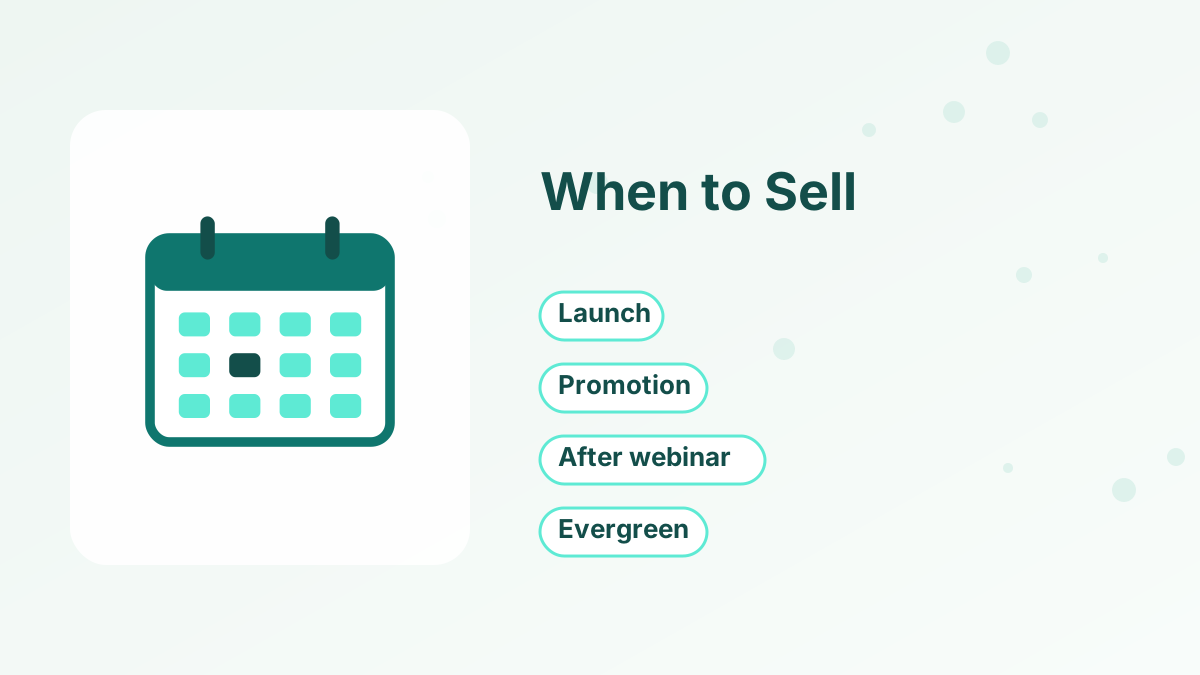
Use a sales sequence whenever you're presenting a specific offer with a clear window:
Product Launch
Opening a new course, program or product to your list for the first time.
Limited Promotion
A genuine sale, bonus or enrollment period that ends on a set date.
After a Webinar
Following up with registrants who saw the offer but haven't bought yet. See webinar funnel.
Evergreen Funnel
An automated sequence that starts after a welcome series, with a personal deadline. See deadline funnel.
The 6-Email Sales Sequence
| Timing | Purpose | |
|---|---|---|
| Day 1 | Introduce the offer, who it's for and the deadline |
| Day 2 | Show what changes for the buyer and why the approach works |
| Day 3 or 4 | Answer the top reasons people hesitate |
| Day 5 | Share genuine results, examples or a detailed walkthrough |
| Day 6 or final morning | Summarize the offer and remind of the deadline |
| Final hours | Short, clear final reminder before it closes |
You can shorten or lengthen the sequence depending on the price and your audience. A low-priced offer might need three emails; a higher-priced program might need eight or more, plus content before the cart opens.
Email 1: The Announcement
Open with the news: the offer is available. Explain what it is, who it's for and the main result it helps people achieve. Share the price, what's included and the deadline, and link clearly to the sales page.
Keep the announcement focused. You'll cover objections and proof later, so this email only needs to make the offer clear and give interested readers a way to act now.
Email 2: The Transformation
The second email focuses on the change the offer creates. Describe where readers are now and where they could be, and explain why your approach gets them there. A short story about the problem you solve often works well here.
This email speaks to readers who saw the announcement and thought, "Interesting, but is it really for me?"
Email 3: Answering Objections
Every offer has reasons people hesitate: price, time, fear that it won't work for them, or uncertainty about what's involved. Address the most common ones directly and honestly.
A simple format is a short FAQ-style email: "You might be wondering…" followed by clear answers. If your offer has a guarantee, explain it here.
Email 4: Proof and Details
This email builds confidence with genuine proof: testimonials you have permission to share, real results or a detailed look inside the product. A module-by-module walkthrough or a short demo video can help readers picture themselves using it.
If you're launching something new and don't have testimonials yet, share your reasoning, your history with the problem and exactly what's included. Never invent results.
Emails 5 and 6: Reminder and Last Call
The final emails remind readers of the offer and the deadline. Keep them short: a quick summary of what's included, the deadline in their time zone and a clear link.
These emails often produce a large share of sales, because they reach people who intended to buy but hadn't acted. A last-call email a few hours before closing is especially effective, as long as the deadline is real.
A Sales Sequence Example
Here's an illustrative launch for a photographer opening a beginner editing course for one week.
| Day | Subject line | Focus |
|---|---|---|
| Monday | The editing course is open (until Sunday) | What it is, who it's for, price and deadline |
| Tuesday | From flat photos to finished shots | The transformation and the three-step editing method |
| Thursday | "I don't have time to learn editing" | Objections: time, software cost, skill level, guarantee |
| Friday | A look inside Module 2 | A short video walkthrough of one lesson |
| Sunday morning | Doors close tonight | Summary, bonus reminder and link |
| Sunday evening | Final hours | Short last call |
Each email works on its own, so a reader who opens only one still understands the offer. Together, they answer the questions a thoughtful buyer has before deciding.
Keeping Urgency Honest
Deadlines work because they help people make decisions they're already considering. They only work long-term if they're real. If you say a bonus disappears on Friday, remove it on Friday. If a price goes up, raise it.
Fake urgency, such as reopening a "final chance" offer the next week, teaches your list to ignore deadlines and erodes the trust that every future sale depends on.
Segmenting Your Sales Emails
Not everyone needs every email. Remove buyers from the sequence as soon as they purchase, so they receive onboarding emails instead of pitches. Consider a separate path for people who clicked the sales page but didn't buy; they're interested and may need answers more than reminders.
You can also let readers opt out of a specific launch without unsubscribing entirely, with a link such as "Not interested in this offer? Click here and we'll skip the rest of these emails." That reduces unsubscribes and complaints. See email list segmentation.
Setting Up a Sales Sequence
For a launch, schedule the emails as newsletters or a campaign for the whole list. For an evergreen sequence, create an automated campaign that starts when someone finishes your welcome sequence or registers for a webinar.
In systeme.io, you can build the sequence as an email campaign, use tags to remove buyers automatically when they purchase and link each email to a funnel with checkout, order bumps and upsells. Countdown timers on the sales page can reflect a real deadline. See systeme.io email marketing and systeme.io automation rules.
Measuring a Sales Sequence
Track clicks to the sales page for each email, sales by day and unsubscribes. If one email gets very few clicks, rewrite its subject line and opening. If many people click but few buy, look at the sales page and offer rather than the emails. See how to write a sales page.
Run Your Next Sales Sequence on Systeme.io
Email campaigns, tags, checkout and countdown timers in one place, starting free.
Try Systeme.io FreeSales Email Sequence FAQs
How many emails should a sales sequence have?
Many run four to seven emails over about a week. Higher-priced offers may need more, lower-priced ones fewer.
How often can you email during a launch?
Daily or every other day is common during a short launch window, with more frequent reminders on the final day.
Will a sales sequence cause unsubscribes?
Some, which is normal. Offering a way to skip the launch emails reduces unsubscribes and complaints.
Should you remove buyers from the sequence?
Yes. Remove buyers immediately so they get onboarding emails instead of further pitches.
Can you automate a sales sequence?
Yes. Evergreen sales sequences can start automatically after a welcome series or webinar registration.