Systeme.io Order Bumps and Upsells - Setup, Ideas and Pricing Tips (2026)
Systeme.io Order Bumps and Upsells: The Short Answer
Systeme.io has order bumps and one-click upsells built into its funnel builder, on every plan. An order bump is a checkbox offer on the order form. A one-click upsell is an extra offer shown after the purchase, which buyers can accept without re-entering their payment details. If they say no, a downsell can offer a smaller version.
These tools matter because they raise the value of each sale without any extra traffic. You've already paid, in time or money, to bring the buyer to checkout. Offering a relevant add-on at that moment is the cheapest revenue most funnels can earn.
Add Bumps and Upsells to Your Funnel
Order bumps and one-click upsells are included on every systeme.io plan, including the free plan.
Try Systeme.io FreeOrder Bump vs Upsell vs Downsell
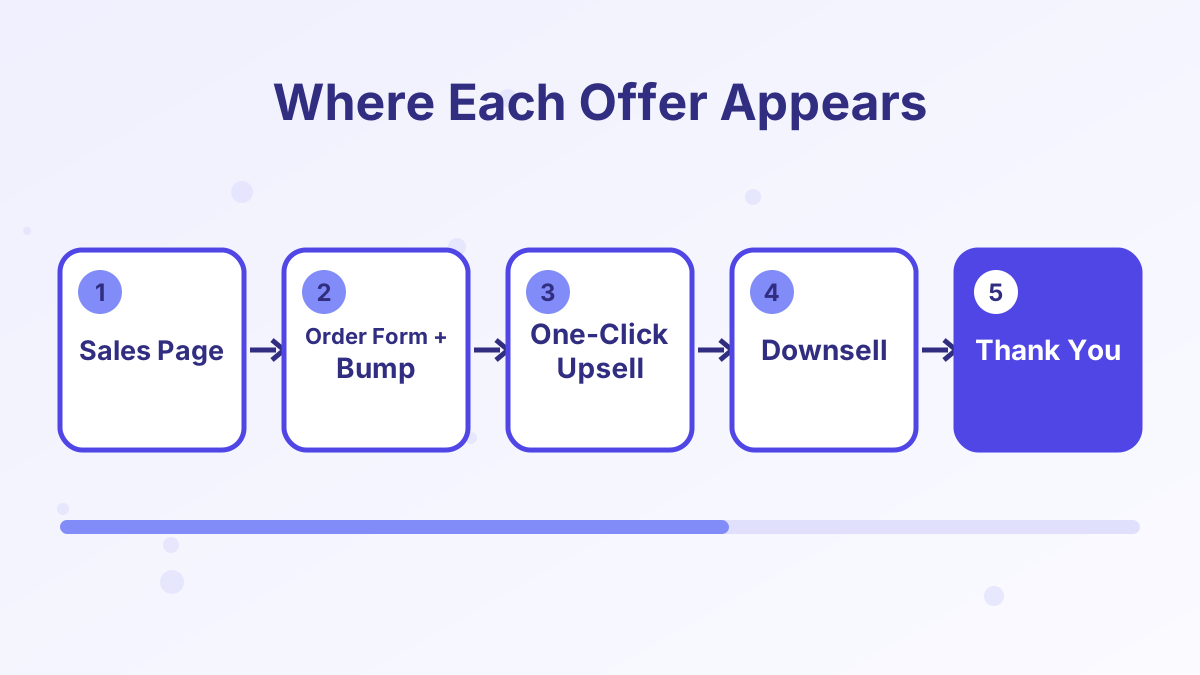
All three increase order value, but they sit in different places and suit different products.
| Offer | Where it appears | Best for | Typical price relative to main offer |
|---|---|---|---|
| Order bump | On the order form, as a checkbox | Small, obvious add-ons that need little explaining | Lower |
| One-click upsell | On a page right after purchase | Bigger next steps that need a short pitch | Similar or higher |
| Downsell | After a declined upsell | A lighter or cheaper version of the upsell | Lower than the upsell |
A simple way to choose: if the add-on can be understood in one sentence, make it an order bump. If it needs a video or a few paragraphs to explain, make it an upsell.
How to Add an Order Bump in Systeme.io
Every checkout step in a systeme.io funnel includes an order bump option. You choose the product, write a short headline and set the price, and the bump appears as a checkbox on the payment page.
- Create the bump productSet up the add-on as a product in your account, such as a digital download, a course or a physical item, with its own price.
- Open your funnel's order form stepGo to the sales funnel, then select the step where buyers pay.
- Add the order bump in the step settingsChoose the bump product and price plan, then save.
- Add the order bump element to the pageIn the page editor, place the order bump element on the order form, usually just above the payment button.
- Write the bump copyUse a short headline such as "Yes, add the workbook for $17" and one or two sentences on the benefit.
- Test the checkoutRun a test purchase with and without the bump to check the order total and the delivery.
One note from systeme.io's help center: if your bump is a physical product, you handle shipping and delivery yourself. Systeme.io records the order but doesn't fulfill it.
How to Add a One-Click Upsell and Downsell
Upsells are their own funnel steps. Because the buyer's payment method is reused, a single click on the upsell page completes the second purchase.
- Add an upsell step after your order formIn the funnel, create a new step and choose the upsell type, then pick a template.
- Attach the upsell product and priceSelect the product and price plan the buyer will get if they accept.
- Write a short, focused pageExplain why this add-on helps them get the result faster. Keep it to one offer and two clear buttons.
- Add a downsell step if you want oneCreate a downsell step and link the upsell page's "no thanks" button to it.
- Finish with a thank-you stepAdd a thank-you page that confirms everything they bought and how to access it.
- Run a full testBuy the main product, accept and decline the upsell, and check that each path ends on the right page.
If you're building your first funnel, our guide to creating a funnel in systeme.io covers the steps that come before this.
What Makes a Good Order Bump
A good order bump is cheap relative to the main offer, instantly understandable and clearly useful alongside what the buyer is already getting. Here are ideas that fit those rules:
Templates or Swipe Files
A $97 copywriting course plus a $27 set of fill-in-the-blank email templates.
A Quick-Start Checklist or Workbook
Helps buyers put the main product into action faster.
Lifetime or Extended Access
Turns time-limited access into permanent access for a small fee.
A Done-for-You Version
A pre-built spreadsheet, planner or funnel that saves setup time.
A Physical Companion
A printed workbook or journal alongside a digital course, shipped by you.
A Recording or Bonus Session
The replay of a live workshop related to the main product.
Keep it to one bump per checkout. If you have a second add-on, systeme.io's own guidance suggests moving it into a one-click upsell on the next page rather than stacking offers on the order form.
Upsell Ideas That Feel Helpful, Not Pushy
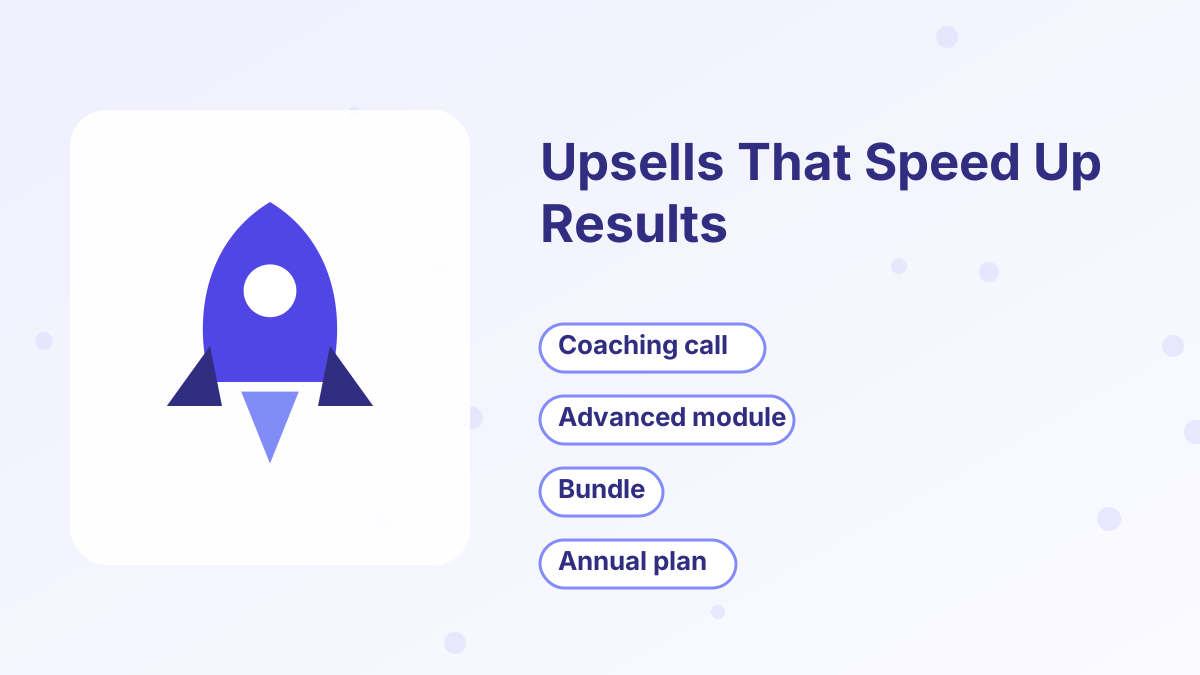
The best upsells answer the buyer's next question: "How do I get this result faster or more completely?"
- Coaching or a review call. After a course purchase, offer a one-to-one session to apply what they've learned.
- An advanced module or next course. For buyers who want to go further.
- A bundle. Several related products at a combined price.
- Annual instead of monthly. For memberships, offer a discounted year upfront.
- Done-for-you service. Set it up for them instead of teaching them how.
If an upsell feels like a trick, leave it out. Buyers who feel pressured are more likely to ask for refunds, and that costs more than the upsell earns.
Pricing Your Bumps and Upsells
There's no perfect formula, but the relationship between prices matters. Here's an illustrative example for a $97 course. The numbers are an example, not a benchmark.
| Step | Offer | Price |
|---|---|---|
| Main offer | Online course | $97 |
| Order bump | Template pack | $27 |
| One-click upsell | Group coaching for 8 weeks | $297 |
| Downsell | Recorded coaching sessions | $97 |
As a rough guide, many marketers price bumps well below the main offer so they're an easy yes, while upsells can be equal to or higher than the main offer because they're pitched on their own page. Watch two numbers once you're live: the share of buyers who take the bump, and the share who accept the upsell. Our guide to sales funnel metrics explains how to track them.
Tracking Results in Systeme.io
Once your funnel is live, check how each offer performs in the funnel statistics and your sales records. Three numbers tell you most of what you need:
- Bump take rate. The percentage of buyers who tick the order bump. If very few take it, the bump may be unrelated, overpriced or badly described.
- Upsell acceptance rate. The share of buyers who accept the one-click upsell. A low rate often means the upsell doesn't feel like the natural next step.
- Average order value. Total revenue divided by the number of orders. This is the number bumps and upsells are designed to raise.
Change one thing at a time, such as the bump headline or the upsell price, and compare results over a few weeks. Systeme.io's A/B testing can help you test upsell pages side by side.
Mistakes to Avoid
Unrelated offers. A bump for a fitness tracker on a cooking course checkout confuses buyers and lowers trust.
Too many steps after checkout. One upsell and one downsell is plenty for most funnels. Long upsell chains annoy buyers.
Fake urgency. "This offer disappears forever" is fine only if it's true. Real deadlines build trust; fake ones damage it.
Forgetting delivery. Make sure each bump and upsell product gives buyers access automatically, through course enrollment, a download or an automation rule. Our automation rules guide shows how.
Not testing. Always run test purchases for every path through the funnel before you send traffic.
For the strategy behind these tools, read our broader guide to order bumps and upsells.
Systeme.io Order Bumps and Upsells FAQs
Are order bumps available on the systeme.io free plan?
Yes. Order bumps and one-click upsells are part of the funnel builder on every plan, including the free plan.
Can you add more than one order bump to a checkout?
Systeme.io's own guidance is to keep one bump per checkout and move any second add-on into a one-click upsell, which keeps the checkout simple.
Do buyers re-enter their card details for an upsell?
No. A one-click upsell reuses the payment method from the first purchase, so buyers accept with one click.
Can an order bump be a physical product?
Yes, but you handle shipping and delivery yourself. Systeme.io records the order and payment.
Does systeme.io take a fee on bump or upsell sales?
No. Systeme.io charges 0% transaction fees. Your payment processor's normal fees still apply.