How to Build a Sales Funnel - Every Page, Email and Metric You Need (2026)
How to Build a Sales Funnel: The Short Version
To build a sales funnel, you create a path that turns a stranger into a lead and then into a buyer. In practice, that means a free offer (a lead magnet), an opt-in page to collect emails, a short email sequence that builds trust, a sales page, a checkout and a follow-up after purchase.
Each piece has one job. The opt-in page gets the email. The emails earn attention. The sales page makes the offer. The checkout takes the payment. When you build each step around that single job, the funnel becomes easy to measure and improve.
This guide walks through every page and email in order, with the metric to watch at each stage. If you want the theory first, start with what a sales funnel is and the sales funnel stages.
Before You Build: Get Your Offer and Audience Right
A funnel can't fix an offer nobody wants. Before you open any software, write down three things in plain language.
Who it's for. Name one specific person: "freelance designers who want their first retainer client," not "creatives." A narrow audience makes every page easier to write.
The problem they'll pay to solve. Use the words your audience uses. If they say "I never know what to post," don't write "content strategy optimization."
Your paid offer. Decide what you're selling, at what price and what the buyer gets. A $27 template, a $197 course and a $2,000 coaching program need different funnels, so this choice shapes everything after it.
If you're not sure what to sell yet, our guides to digital product ideas and selling coaching online can help you decide.
Step-by-Step: Build Your Funnel Page by Page
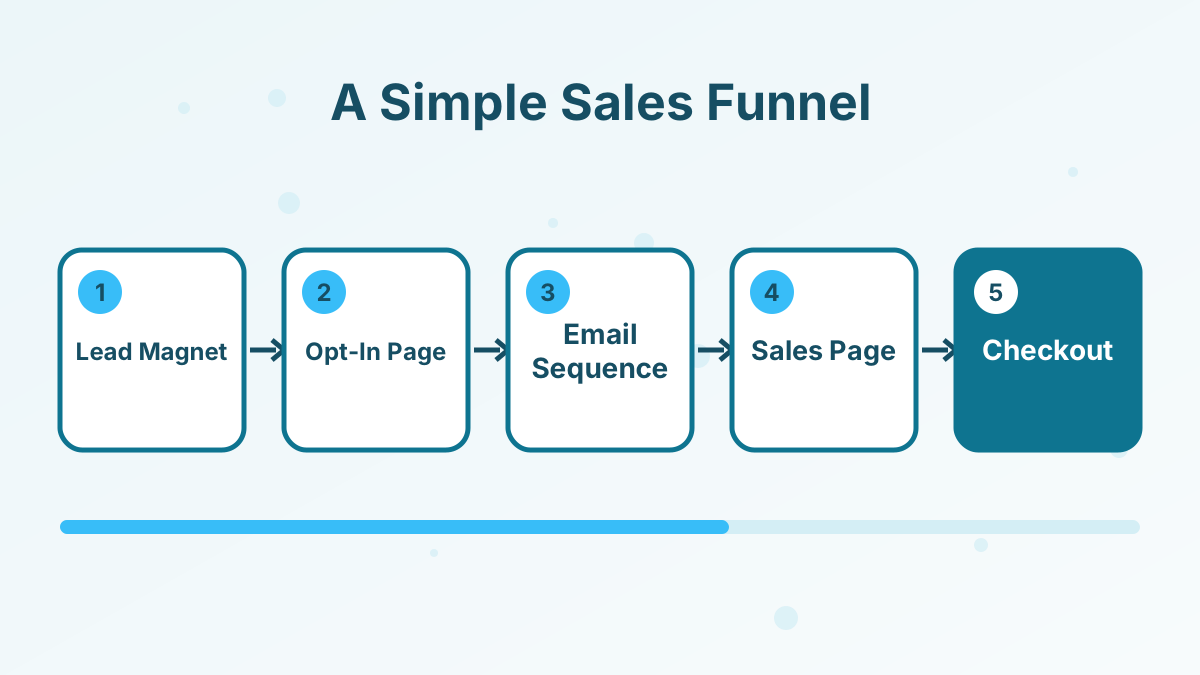
Here's the full build in the order we'd do it. You can launch with steps 1 to 7 and add the upsell and follow-up once sales start coming in.
1. Choose Your Funnel Goal
Decide what a "win" looks like for this funnel. For a low-priced product, the goal is a direct purchase. For coaching or high-ticket offers, the goal is usually a booked call. For a webinar, it's attendance.
Picking one goal stops you from cramming three calls to action onto one page. Our guide to types of sales funnels matches common goals to funnel shapes.
2. Create a Lead Magnet
A lead magnet is the free thing you trade for an email address: a checklist, template, mini-course, quiz result or short video training. The best ones solve one small, urgent problem that's directly related to your paid offer.
For example, if you sell a $197 course on launching a podcast, a "first episode checklist" is a better lead magnet than a general "marketing tips" ebook. It attracts people who are about to buy. See our list of lead magnet ideas for more.
3. Build the Opt-In Page
The opt-in page (often called a squeeze page) has one job: get the email. Keep it short, with a clear headline that names the result, three or four bullet points on what's inside, a simple form and one button.
Remove the navigation menu and extra links. Every extra click is a chance to leave. Our guide to squeeze pages covers headline formulas and layouts.
4. Set Up the Thank-You Page
The thank-you page confirms the signup and tells people what happens next, such as "check your inbox in the next five minutes." It's also your best chance to make a small first offer while attention is high.
Many funnels place a low-priced offer here, known as a tripwire. Learn how in our tripwire funnel guide and our tips for a better thank-you page.
5. Write a Nurture Email Sequence
Most people won't buy on day one. A short email sequence of four to seven emails over one to two weeks delivers the lead magnet, shares useful lessons, tells your story, answers objections and then makes the offer.
A simple structure works well. Email 1 delivers the freebie. Emails 2 to 4 teach and build trust. Emails 5 to 7 present the offer, handle doubts and close with a clear deadline if one genuinely exists. See our welcome email sequence and sales email sequence guides for templates.
6. Write the Sales Page
The sales page explains the offer in detail: the problem, the result, what's included, who it's for, the price, any guarantee you actually offer, and answers to common questions. Long pages work for higher prices, while short pages are fine for low-priced products.
Write it in the order a skeptical buyer thinks: "Is this for me? Will it work? What do I get? What does it cost? What if it doesn't work?" Our guide on how to write a sales page walks through each section.
7. Set Up the Checkout and Order Bump
The checkout takes the payment. Keep it short, and only ask for what you need. An order bump, a small related add-on shown as a checkbox on the checkout page, can lift your average order value without adding a step.
For example, a $97 course could have a $27 "swipe file" bump. It costs the buyer one click and doesn't interrupt the purchase. Read more about order bumps and upsells.
8. Add a One-Click Upsell
After the purchase, a one-click upsell page offers a higher-value next step, such as coaching, an advanced module or a bundle. Because the payment details are already saved, buyers can accept with one click.
Only offer something that genuinely helps the buyer get the result faster. A forced upsell can damage trust and refund rates.
9. Follow Up After the Sale
The funnel doesn't end at the purchase. Send an onboarding sequence that helps buyers use what they bought, ask for feedback, and, when the time is right, invite happy customers to your next offer. Repeat buyers are the cheapest customers you'll ever get.
An Example Funnel Map
Here's how the whole thing fits together for a fictional course creator selling a $97 course on meal prepping. The prices and products are illustrative.
| Step | What the visitor sees | Job of the step |
|---|---|---|
| Lead magnet | "7-Day Meal Prep Planner" PDF | Attract the right people |
| Opt-in page | Headline, 3 bullets, email form | Collect the email |
| Thank-you page | "Check your inbox" plus a $17 recipe pack offer | Confirm and make a first small sale |
| Nurture emails | 5 emails over 8 days | Build trust and introduce the course |
| Sales page | Full course details, FAQ, price | Make the main offer |
| Checkout + bump | $97 course, $27 shopping-list bump | Take payment and lift order value |
| Upsell | $197 group coaching add-on | Offer a faster path to the result |
| Onboarding emails | Welcome, quick start, check-in | Help buyers succeed |
You don't need every step on day one. A lead magnet, opt-in page, three emails, a sales page and a checkout are enough to launch and learn.
How to Get Traffic Into Your Funnel
A funnel with no visitors makes no sales. Pick one or two traffic sources and get good at them before adding more.
- Search content. Blog posts and videos that answer questions your audience searches for, with a link to your lead magnet.
- Social media. Short posts that share one useful idea and point to your opt-in page.
- Paid ads. Fast and measurable, but only worth it once you know your funnel converts.
- Partnerships and affiliates. Other people promote your funnel for a commission. Systeme.io includes affiliate program tools for this.
- Your existing audience. Email your current contacts and customers first. They already trust you.
The Metrics to Track at Each Stage
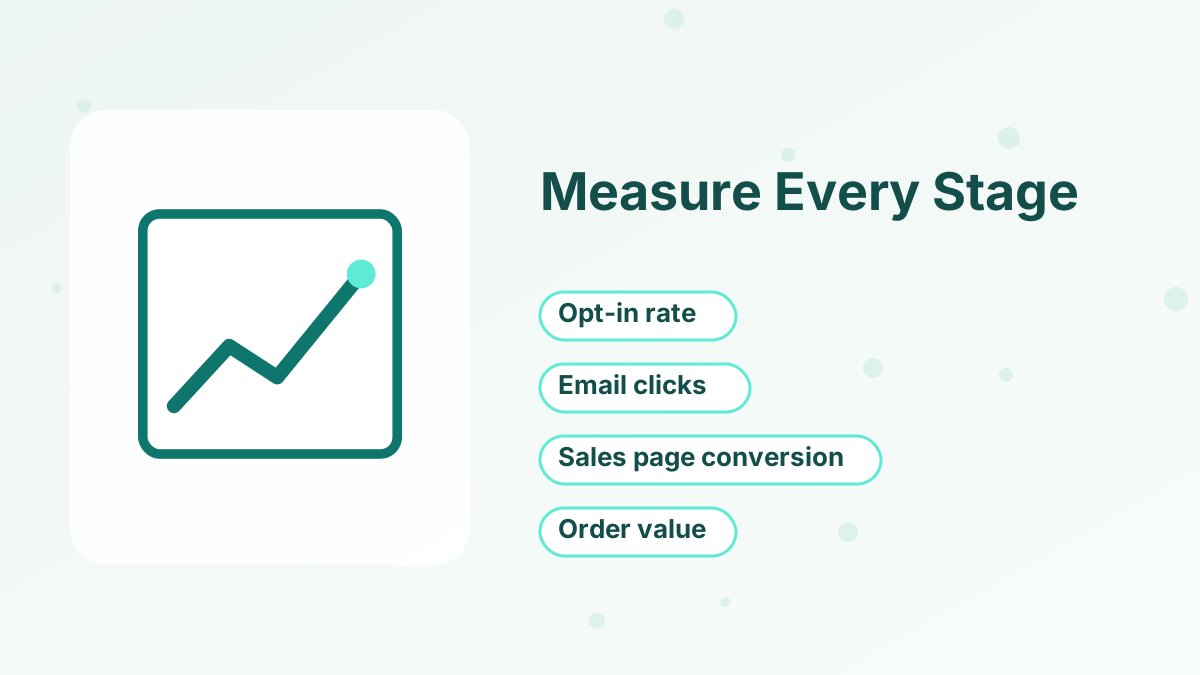
Every page in your funnel has one number that tells you whether it's doing its job. Track these from the start, even if your numbers are small.
| Stage | Metric | What it tells you |
|---|---|---|
| Traffic | Visitors to the opt-in page | Whether your traffic source is working |
| Opt-in page | Opt-in rate (signups ÷ visitors) | Whether the headline and lead magnet appeal |
| Emails | Open and click rates | Whether people trust you and want more |
| Sales page | Conversion rate (buyers ÷ visitors) | Whether the offer and page persuade |
| Checkout | Order bump take rate | Whether the add-on fits the main offer |
| Overall | Revenue per lead | What each new lead is worth to you |
Revenue per lead is the number that ties everything together. If each lead is worth $3 on average and you can get leads for less than that, you have a funnel you can scale. Our guide to sales funnel metrics explains how to calculate each one, and how to improve your funnel conversion rate covers what to change first.
Choosing the Right Funnel Software
You can build a funnel with a page builder, an email tool and a payment app glued together, or with one all-in-one platform. Both work, but the trade-offs are different.
Separate tools give you the best-in-class option for each job. The cost is complexity: three or four subscriptions, integrations that can break, and contact data spread across apps. If a buyer's tag doesn't sync, they might keep getting sales emails for a product they already own.
An all-in-one platform keeps pages, emails, checkout and courses on one contact record. You give up some depth in each tool, but setup is faster, and automations like "stop the sales sequence when someone buys" just work.
For a first funnel, we'd pick an all-in-one tool with a free plan so you can learn without a monthly bill. Our roundups of the best sales funnel builders and the best free funnel builders compare the main options, and our guide to all-in-one vs separate marketing tools goes deeper on the trade-off.
Testing and Improving After Launch
Once your funnel has had a few hundred visitors, you'll have enough data to make your first improvements. Change one thing at a time, starting with the stage where the biggest drop-off happens.
If the opt-in rate is low, test a new headline or a more specific lead magnet. If people sign up but don't open emails, look at your subject lines and sender name. If the sales page gets visits but no buyers, revisit the offer, the price or the way you explain the result.
A/B testing tools make this easier by splitting traffic between two versions of a page. Systeme.io includes A/B testing in its funnel builder, so you can test headlines and layouts without extra software.
Common Sales Funnel Mistakes to Avoid
Building too much before testing. Launch a simple version first. You'll learn more from 100 real visitors than from a week of polishing.
A lead magnet that doesn't match the offer. If the freebie attracts a different audience from your paid product, your opt-in rate may look great while sales stay at zero.
Too many choices on one page. One page, one goal, one button. Remove menus and side links from funnel pages.
No follow-up emails. Sending people straight to a sales page after signup skips the trust-building step most buyers need.
Fake urgency. Countdown timers that reset and "only 3 left" claims that aren't true damage trust. Use real deadlines, like a launch window or a bonus that genuinely expires.
Building Your Funnel in Systeme.io
You can build everything in this guide inside one systeme.io account: the opt-in page, thank-you page, email sequence, sales page, checkout with order bump, one-click upsell and onboarding emails. The free plan includes 3 sales funnels, 2,000 contacts and unlimited email sends, which is enough to launch your first funnel at no cost.
Because pages, emails and payments share one contact database, you can tag buyers automatically and stop sales emails the moment someone purchases. That's the kind of detail that's fiddly when you stitch several tools together. Our step-by-step guide to creating a funnel in systeme.io shows exactly where each setting lives.
Build This Funnel for Free
Systeme.io's free plan gives you funnels, unlimited emails, checkout and a course in one place.
Try Systeme.io FreeHow to Build a Sales Funnel FAQs
How long does it take to build a sales funnel?
A simple funnel with an opt-in page, a few emails, a sales page and a checkout can be built in a weekend if your offer and copy are ready. Writing usually takes longer than building.
Do you need a website to build a sales funnel?
No. Funnel software hosts your pages for you. Many people start with only a funnel and add a full website later.
How many emails should a sales funnel have?
Four to seven emails over one to two weeks is a good starting point. Test shorter and longer sequences once you have data.
What's a good opt-in rate for a landing page?
It varies widely by traffic source and offer, so compare your own pages against each other over time rather than chasing a universal benchmark.
What's the cheapest way to build a sales funnel?
An all-in-one tool with a free plan, like systeme.io, lets you build pages, send emails and take payments without paying for several separate tools.